
Name-Based Case Searches
A surname alone will not search every Mahoning County court record at once. The Mahoning County Clerk of Courts holds Common Pleas and County Court filings. Probate runs on a separate portal. Youngstown, Campbell, Struthers, and Canfield each use their own access channels. Begin with the court named on your notice. Do not type a name into the first system you find. That habit keeps a city case or a Probate matter from being mistaken for part of the central county database.
When a system does offer a name path, follow the format that court publishes. The Probate portal gives Exact Name and Partial Name routes. Struthers provides a Name/Company field. The county eAccess public entrance sits behind a manual CAPTCHA. Its deeper name-field labels and filters are not published where you can review them beforehand.
- Identify the court from the case document, citation, hearing notice, or existing case number.
- Choose the matching official county, Probate, municipal, or mayor’s court channel.
- Use the published name format and narrow the search if the court provides an exact or partial-name option.
- Open only the result needed to confirm the court, case number, or next official step, then ask the custodian about a record that is missing or unclear.
Mahoning County Docket CAPTCHA Access
For a Mahoning County court docket, start with the Mahoning County Integrated Justice System eAccess. It is the county's own route into Common Pleas General Division, Domestic Relations, and Area Courts #2 through #5. The public entrance asks you to complete a manual CAPTCHA. The public-record search link opens only after that step. That step is simply part of public access. Complete it as asked rather than working around it. Treat whatever filters sit beyond the gate as unknown until you see them yourself.
What can you expect from the docket search once you are in? The county says both current and closed cases may appear. It also warns that computerized entries can lag behind real rulings and updates. The data is not an official court record. When a detail truly matters, call the court or the Clerk's office for a certified copy.
The Mahoning attorney inquiry portal feeds this official image. Registration and login open that route. That does not mean public users can view attorney-side material.
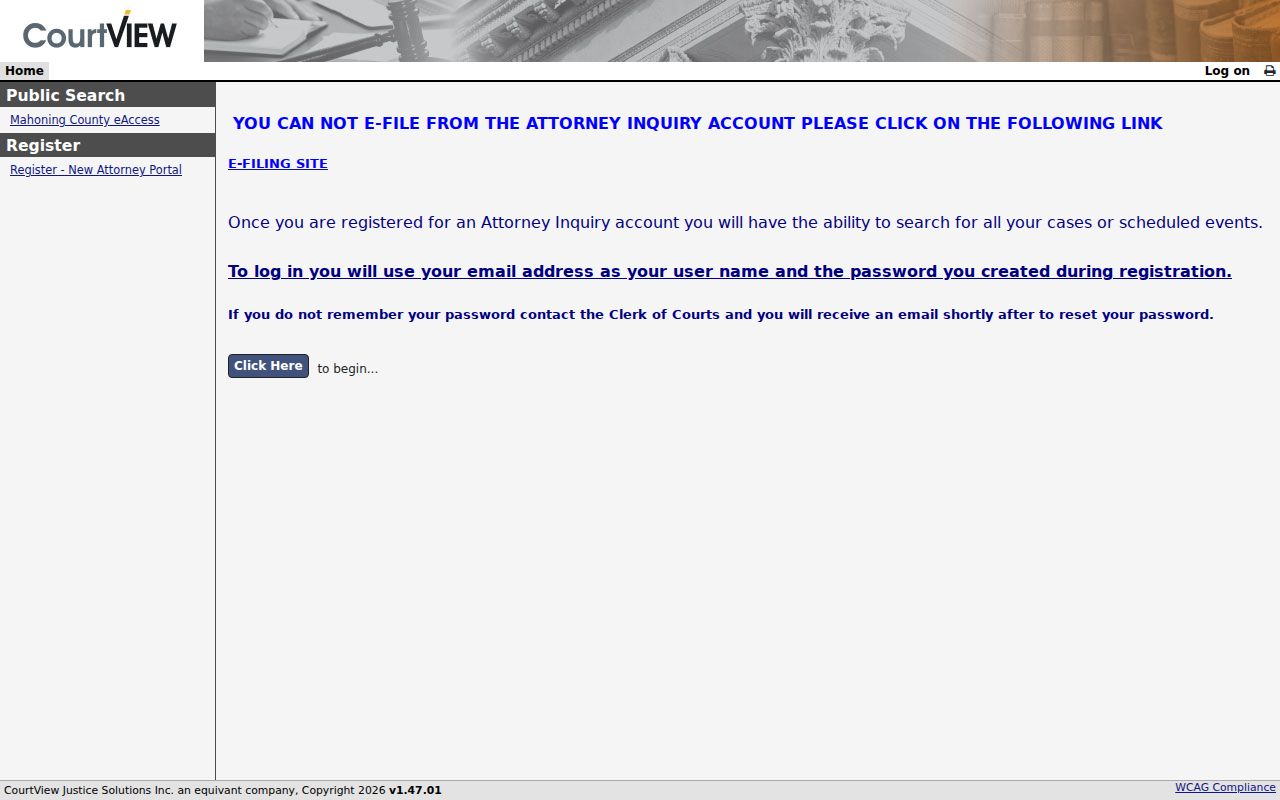
Public case search for the county starts at the separate eAccess CAPTCHA entrance. It does not run through a login-based document view.
Case Number Searches
A case number is usually the fastest way to route a Mahoning County docket search. County eAccess tells users to type the number exactly as it appears in CourtView. Keep the full year and all five number fields. Area Court cases carry a location designator at the end that matters for local routing. AUS is Austintown. BDM is Boardman. CNF is Canfield, and SEB is Sebring.
Never guess at dash patterns or drop a location suffix. The county's instruction is about preserving the CourtView format. It is not about reshaping the number into a generic form. A state appeal starts life as a trial-court filing with the Clerk. The Seventh District Court of Appeals assigns its appellate number later.
| CAPTCHA | Required image-and-text challenge before the public-record search link; complete it manually. |
|---|---|
| Click Here | The visible link that proceeds to the public-record search after the CAPTCHA. |
| County eAccess entry | Full year plus five number fields, exactly as CourtView displays them. |
| Name and other search fields | Not exposed before the CAPTCHA in the research inspection, so no field labels or options are claimed. |
| Log on / Attorney Inquiry | Separate optional login and attorney-oriented routes, not promised as public document access. |
| AUS | Austintown Area Court location designator. |
| BDM | Boardman Area Court location designator. |
| CNF | Canfield Area Court location designator. |
| SEB | Sebring Area Court location designator. |
Mahoning Probate Case Search Formats
Probate Court runs on its own Tyler Odyssey public portal. Three public search paths are offered: Case Number, Exact Name, and Partial Name. The published case-number structure is YEAR-Case Abbreviation-Case Number, with YYYY-ES-00123 as the example. Both name paths have defined syntax too. The portal is not interchangeable with a generic first-name/last-name form.
| Probate field or action | Published format or purpose |
|---|---|
| Case Number | YEAR-Case Abbreviation-Case Number; official example YYYY-ES-00123. |
| Exact Name | Last name, comma, space, first name, such as “Smith, John.” |
| Partial Name | At least three last-name characters plus *, comma and space, then at least one first-name character plus *, such as “Smi*, J*.” |
| Download Document | Where available, the portal directs users to this control for a multiple-page document. |
| Other filters | Search, reset, and additional control labels were not exposed in the text inspection, so no filter list is claimed. |
The official Probate portal publishes this page along with its search instructions.
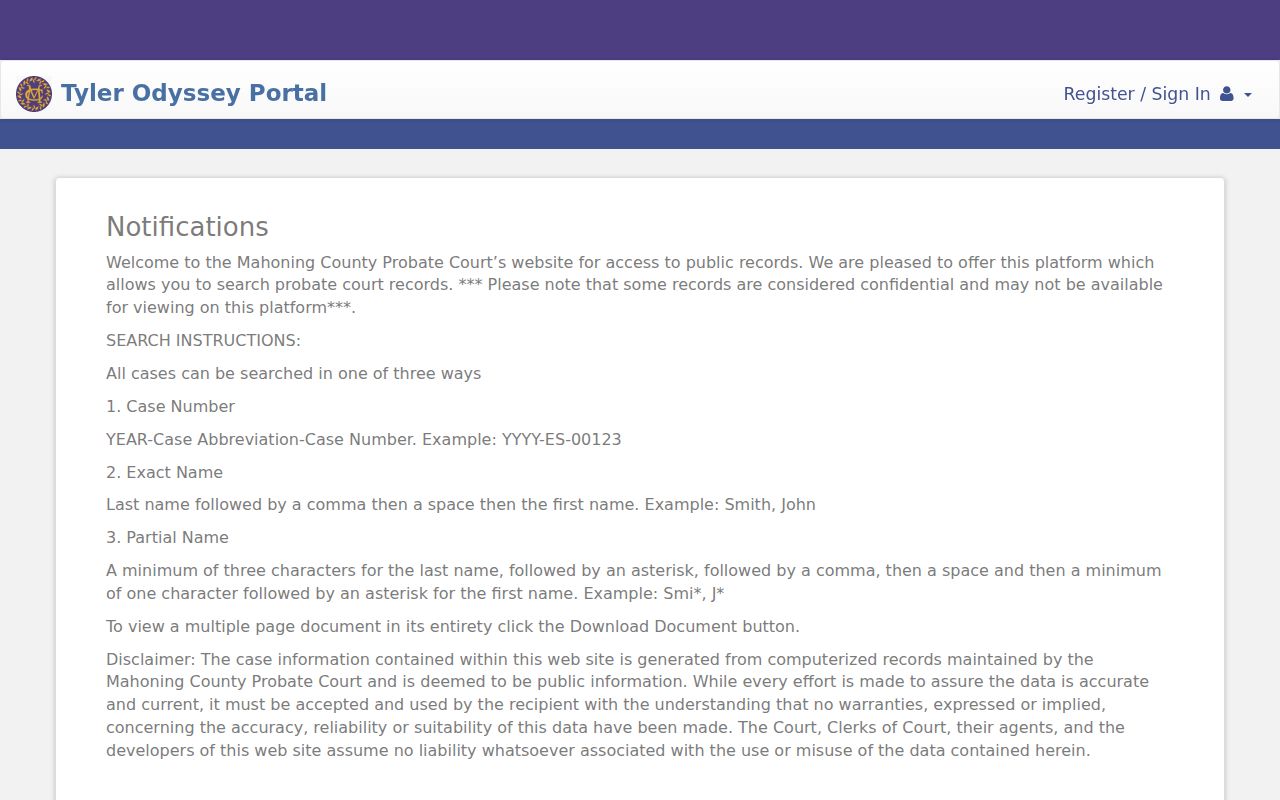
Probate warns that some records are confidential and may be unavailable. A search result is a route to case information only. It does not promise remote access to every document in the file.
Mahoning Struthers Docket Search Fields
Struthers Municipal Court posts a detailed public search form for its local jurisdiction. Its Search MC page tells you to make a name search as specific as possible. Format the name as last name, comma, space, then first and middle name. Case and ticket numbers take numbers only. No letters or dashes appear in them. The court's examples look like 0123456.
| Struthers search field | Published search note |
|---|---|
| Name/Company | Optional; use last, first middle and be as specific as possible. |
| Case Number / Ticket Number | Optional alternate paths; numbers only, no letters or dashes. |
| Hearing Date | Month, “Day of the week,” and Year; all components are needed for a date search. |
| File Date | Month, “Day of week,” and Year; all components are needed for a date search. |
| How many record per page | Optional display-limit control; options were not captured. |
| Submit Form | The visible action used to run the search. |
Case Search Results Explained
Treat an online result as an index to a court file, nothing more. The local systems offer no universal set of result fields. County eAccess does not publish its case-detail fields in advance. Probate warns that confidential material may be unavailable. A result can help you identify a case number, the court, or a public next step. It is not automatically an official record, a complete file, or proof the listing is current.
The Mahoning County Clerk of Courts maintains the appearance docket, trial docket, execution docket, journal, and case indexes for the records in its custody. Think of a docket as the running case-history layer. Getting a filed document or a certified copy is a separate record-access question. Ask whichever clerk or court keeps it.
Mahoning Canfield Docket Results
Canfield Mayor’s Court runs its own docket and ticket search. It should not be confused with County Court #5. The service lets the public search by first name, last name, case number, case type, ticket number, date of offense, and court date. Results come back with a fixed set of columns. You see Last Name, First Name, Ticket #, Date of Offense, Case #, Case Type, and Court Date. Nothing more appears in the display. Treat those as the public frame labels for a Canfield court docket entry, not a full case record pulled for any one person.
| Canfield search field | Published note |
|---|---|
| Choose a Search by option | Dropdown shown; its options were not text-exposed. |
| First Name / Last Name | Optional alternate path; the city advises searching by both names, then selecting Case #. |
| Case Number / Ticket Number | Optional alternate local identifiers. |
| Case Type | Optional dropdown; options were not captured. |
| Date of Offense / Court Date | Optional date selectors with Clear Date controls. |
| Search / Previous Matches / Next Matches | Run and paginate results; the page states 1–20 of up to 200 matching cases. |
Coverage has a starting point. The service says its Canfield docket reaches back to cases filed on or after January 2, 1998, and each search shows a live upload timestamp. Neither one is a guarantee. Older matters may sit outside the database, and a fresh timestamp does not mean the courtroom’s latest action is already posted.
Mahoning Municipal Case Search Routes
Municipal and city courts in Mahoning County run their own systems, separate from county eAccess. Youngstown opens public case access through CourtView. Campbell routes the public through CaseLook and warns that computer information can lag a filing or judicial action by at least 24 hours or longer. Struthers offers a case search plus a Daily Docket. Canfield Mayor’s Court keeps its own docket service. Same county, different clerks and different databases. The Youngstown Municipal Court public-access portal is the official page that handles the court’s public case lookup.
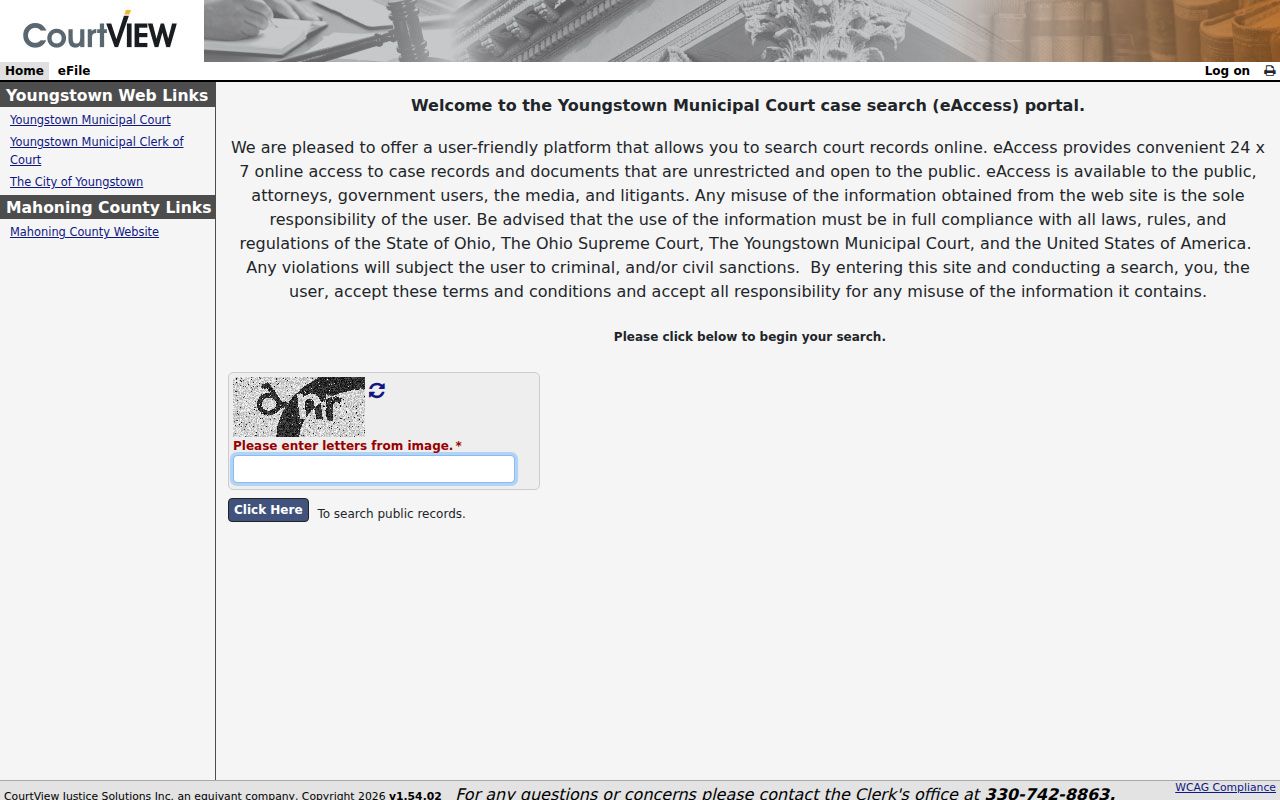
The Youngstown search form does not display its fields as plain text on that page. Start with the official portal itself. If the screen does not answer your question, call the Youngstown Assignment Office at 330-742-8770 for scheduling and clerk routing.
Two Ways to Search: County and State
Ohio has no single statewide trial-court docket database that replaces Mahoning County’s systems. So the real choice is not county versus one big state portal. It is county eAccess for the Common Pleas and Area Court group. Or it is court-specific systems for Probate, municipal, and mayor’s courts. A Seventh District appeal follows the same logic. It starts with the originating trial-court filing and later receives its appellate number through the proper Clerk route.
Use the county channel when the case sits in Common Pleas General Division, Domestic Relations, or County Courts #2–#5. Use the court-specific channel for Probate, Youngstown, Campbell, Struthers, Canfield Mayor’s Court, or any other city court. Let the court named on your notice pick the search path. Do not rely on a geographic guess for your Mahoning County court docket.
Mahoning County Case Search No-Result Steps
An empty search result proves nothing about whether a Mahoning County case exists. Start by rechecking the case number format and the court you searched. If the record is Probate or municipal, move to that separate system entirely. The county itself notes that some pre-1989 dockets may require a personal visit. Campbell’s stated update lag is one more caution. The county’s own nonofficial-record disclaimer is another. Do not draw a conclusion from a blank or stale screen. Verify with the clerk instead.
- Recheck the court name and the case number exactly as it appears on the newest document.
- Try the proper court-specific system rather than repeating the query in an unrelated database.
- Call the court coordinator or clerk, state the court and case number, and ask whether a public record is available through another channel.
- Inspect the physical record at the court if online access is unavailable, old, delayed, or restricted.
- Use the Mahoning Clerk’s public-record request route for a focused existing record held by that office; no special wording or prescribed form is generally required.
Which Cases Stay Restricted
Public access has limits, and Mahoning County says so directly. The county eAccess notice excludes anything not available to the public by law. It names domestic-violence and stalking civil-protection orders as examples. Probate warns that confidential records may not be available. Juvenile materials, sealed or restricted documents, and personal identifiers can also be withheld or redacted under Ohio court-record access rules. So a missing remote result is not a reliable conclusion about a person or a case.
Ohio Rules of Superintendence 44–47 govern much of this ground. The rules presume access to court records while allowing restrictions, redactions, and different treatment of direct versus remote access. When a record is restricted, the right move is to contact the office that holds it. Ask for the lawful access path. A workaround is not the answer.
Mahoning Court Record Access Limits
Anything you pull from the online county system is explicitly nonofficial. It may trail later court action. Need a certified or verified record? Contact the court or clerk that keeps the file. The Mahoning Clerk’s policy treats court case documents chiefly under the Ohio Rules of Superintendence, while the Ohio Public Records Act still governs appropriate clerk administrative records. Notably, the policy allows focused requests. It does not demand a specific phrase, your identity, a purpose, or a special form.
For in-person access, the Area Court rules make physical files available after service upon reasonable written request during business hours, subject to privacy limits and Criminal Rule 16. A requester should identify the case, the court, the document or docket wanted, and a date range. Those details help locate an existing record. They do not obligate anyone to build a new compilation for you.
Mahoning Historic Docket Search Route
Older county material can still require an in-person handoff. The central eAccess notice specifically flags some pre-1989 dockets as a possible personal visit. The Clerk’s office keeps the record for the central Common Pleas and Area Court group. But it does not hold every city or Probate record in Mahoning County. Before you travel, call the holding court. Ask about inspection availability and any privacy limits.
For anything time-sensitive, rely on the latest court notice and direct confirmation. An electronic case search can point you to a public record path. It cannot replace the official record the court or clerk maintains.